Internet Speed Tracker
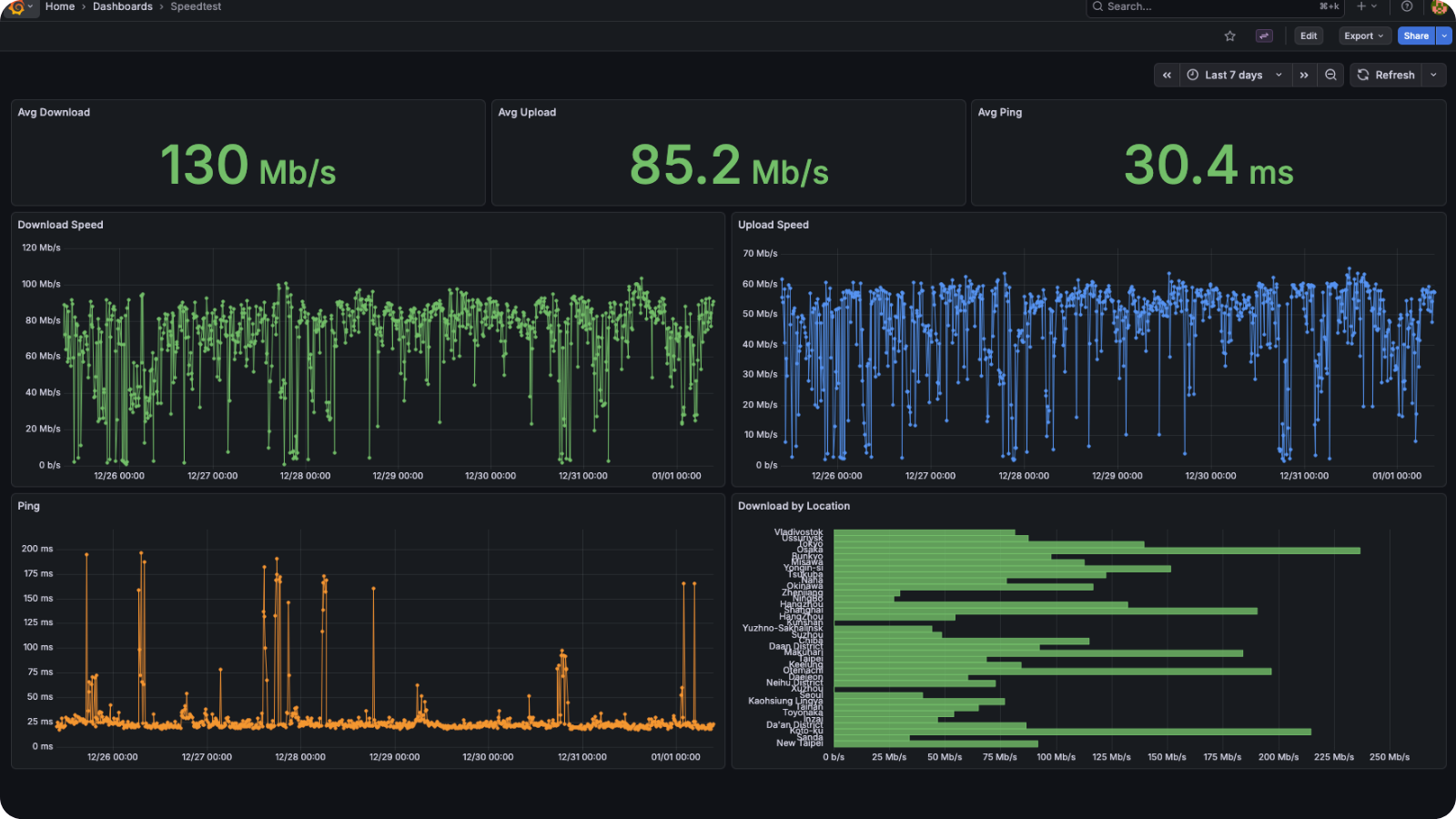
Grafana dashboard for visualizing speedtest results. Based on wolfganghuber/speedtest which uses cron + speedtest-cli to append results to a CSV.
Architecture
cron runs
speedtest-cli --csv every 10 mins↓
CSV file (appended automatically)
↓
Grafana via CSV datasource plugin
↓
Dashboard
Panels
Avg Download / Upload / Ping (stat panels)
"thresholds": {
  "steps": [
    { "value": null, "color": "red" },
    { "value": 10000000, "color": "yellow" },
    { "value": 30000000, "color": "green" }
  ]
}
Values in bps. Green = >30 Mbps, yellow = 10-30 Mbps, red = <10 Mbps.
Download / Upload / Ping over time (timeseries)
"filterByValue": {
  "filters": [{ "fieldName": "download", "config": { "id": "equal", "options": { "value": "NA" }}}],
  "type": "exclude"
}
Plots metric over time. Filters out "NA" rows from failed tests.
Download by server location (bar chart)
"groupBy": {
  "fields": {
    "location": { "operation": "groupby" },
    "download": { "operation": "aggregate", "aggregations": ["mean"] }
  }
}
Groups by server location, shows mean download speed per server.