OCR on Patent Figures with DeepSeek-OCR
12 approaches to extracting text and reference numbers from patent figure sheets, tested against 8 sheets from US11423567B2 (a facial recognition depth mapping system). Flowcharts, dense instrument screenshots, architectural diagrams with tiny scattered reference numbers.
The figures
Patent figures have text at multiple orientations (some sheets are rotated 90 degrees), tiny reference numbers like "41" or "7025" scattered among drawings, dense data screens with white text on dark backgrounds, structural elements (boxes, arrows, lines) that look like text to a machine, and "Figure X" labels often printed sideways.
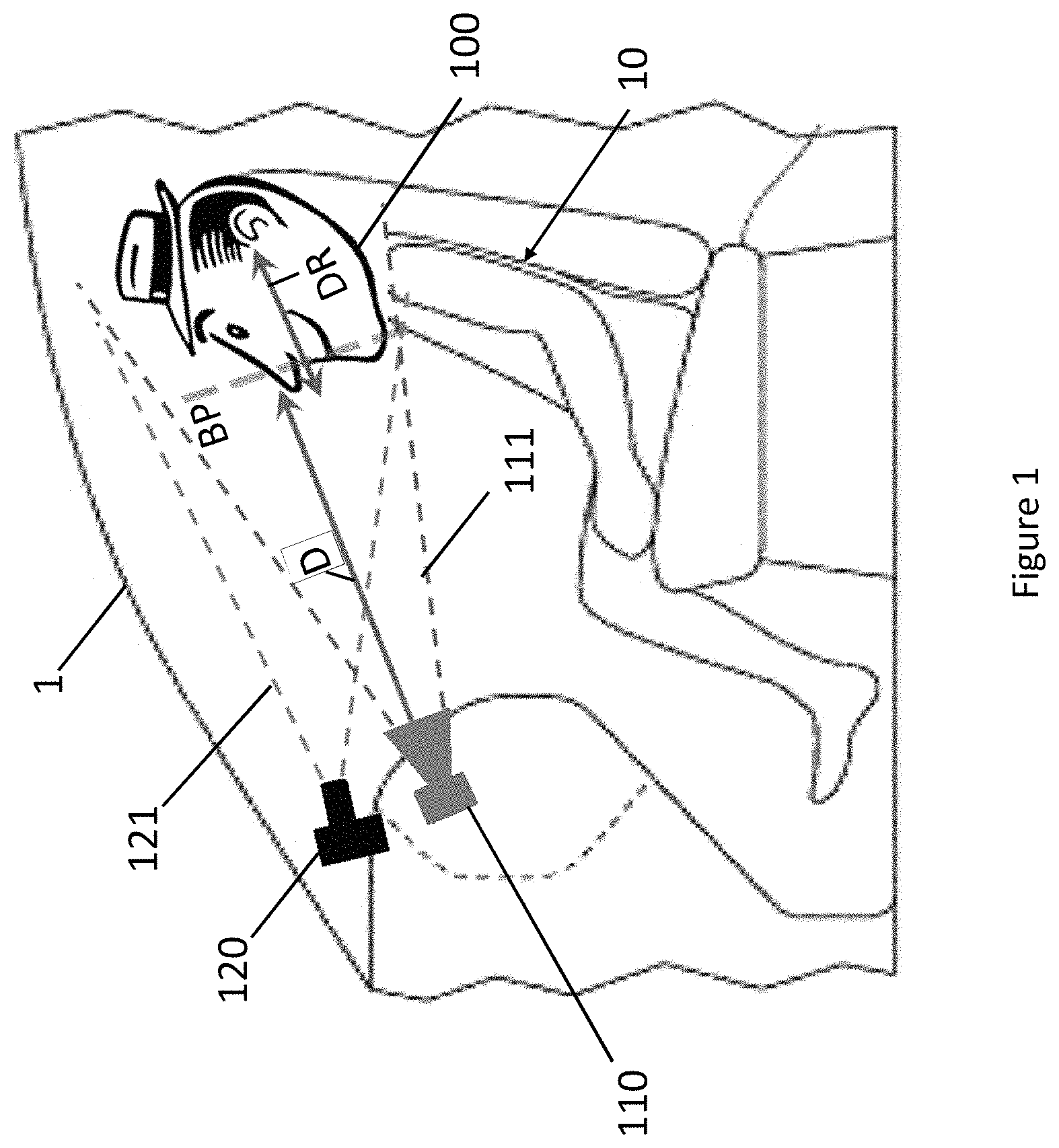
Sheet 01 from US11423567B2. The whole thing is rotated 90 degrees, with labels like "BP", "DR", "1", and "D" scattered around the drawing.
DeepSeek-OCR is a 3.3B parameter vision model that runs locally. It has a grounding mode that returns bounding boxes alongside text—the prompt <|grounding|>OCR this image. produces output like <|ref|>camera 110</ref><|det|>[[412, 8, 455, 63]]</det>.
Test 1: Baseline
Raw images into DeepSeek-OCR. Clean upright flowcharts came out perfect:
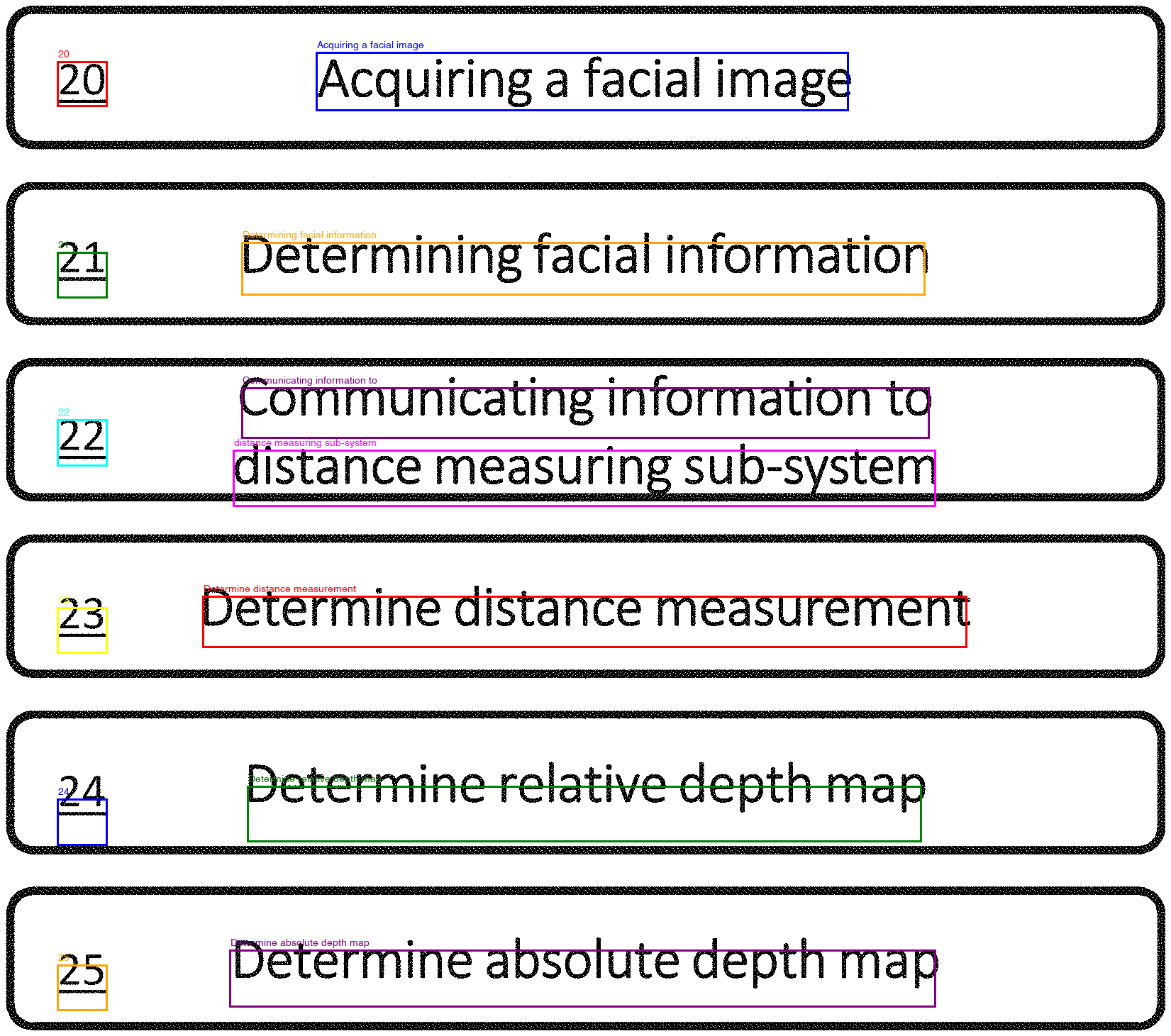
Sheet 00, test 1. Clean flowchart. Every label and text block detected correctly.
Everything else had problems—rotated text came back garbled ("Accurling" instead of "Acquiring"), it read "61" as "19" on one sheet, and small labels near drawings were consistently missed. Two sheets perfect, six with errors. The dense instrument screenshot was the worst—grid marks triggered 225 hallucinated "+" detections:
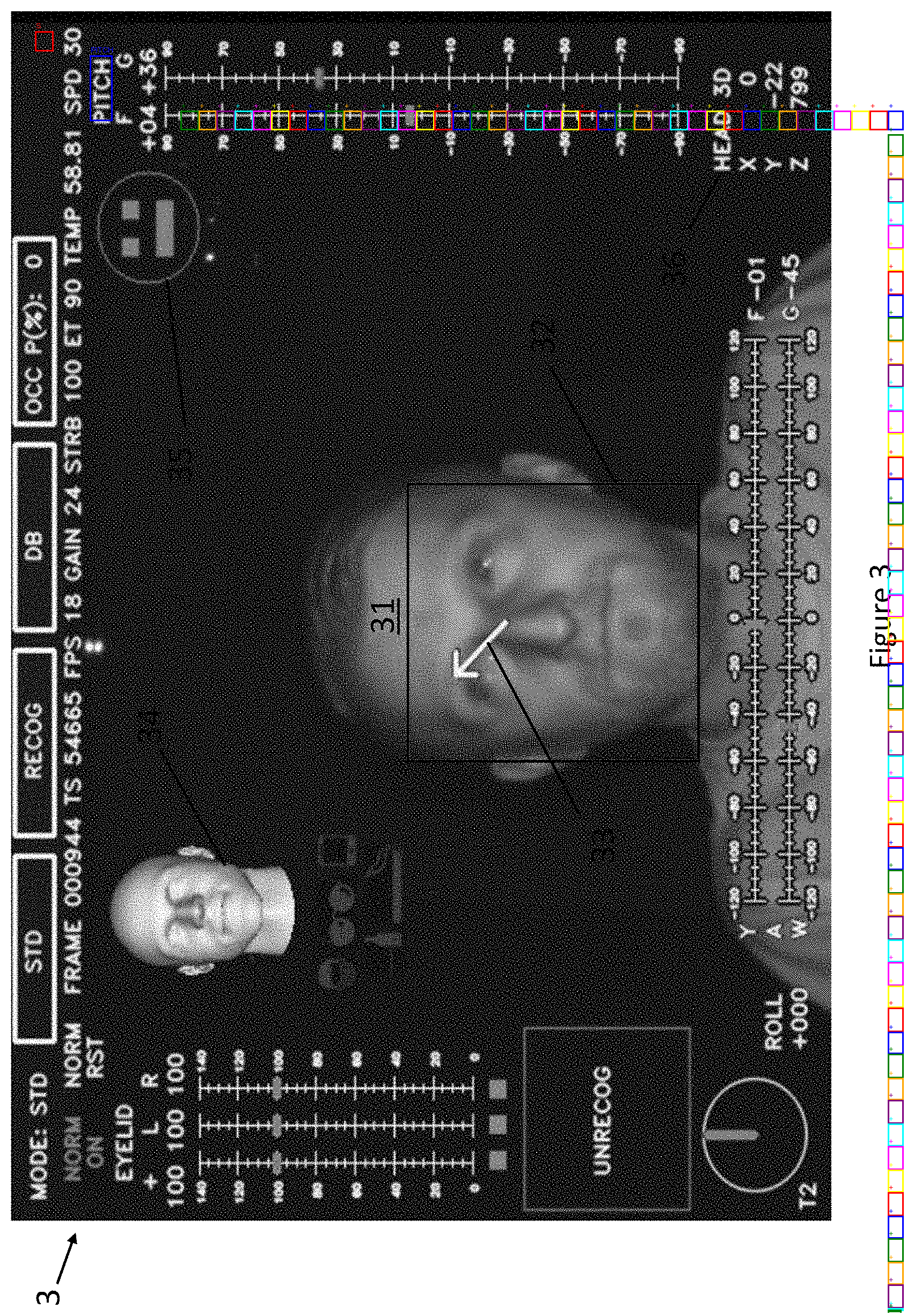
Sheet 03, test 1. Every colored box is an OCR detection. Most of the ones on the right side are hallucinated "+" symbols from grid marks.
Tests 2–3: Preprocessing
Binarization (converting to pure black and white, boosting contrast) gave identical results. The images were already clean line drawings—nothing to clean up.
Tesseract OSD for rotation detection got confused by the sideways "Figure X" labels on otherwise upright sheets and rotated things that shouldn't have been rotated. Results got worse.
Test 4: Manual rotation
Some patent figure sheets are printed in landscape orientation—the entire page is rotated 90 degrees. DeepSeek-OCR doesn't handle this well. At the wrong angle, it either misses text entirely or garbles it ("Accurling" instead of "Acquiring"). At the right angle, the same text comes through perfectly.
I ran every sheet at three angles (0, 90, 270 degrees) and manually compared. Sheet 01 went from 2 usable detections at 0 degrees to 32 at 270 degrees:
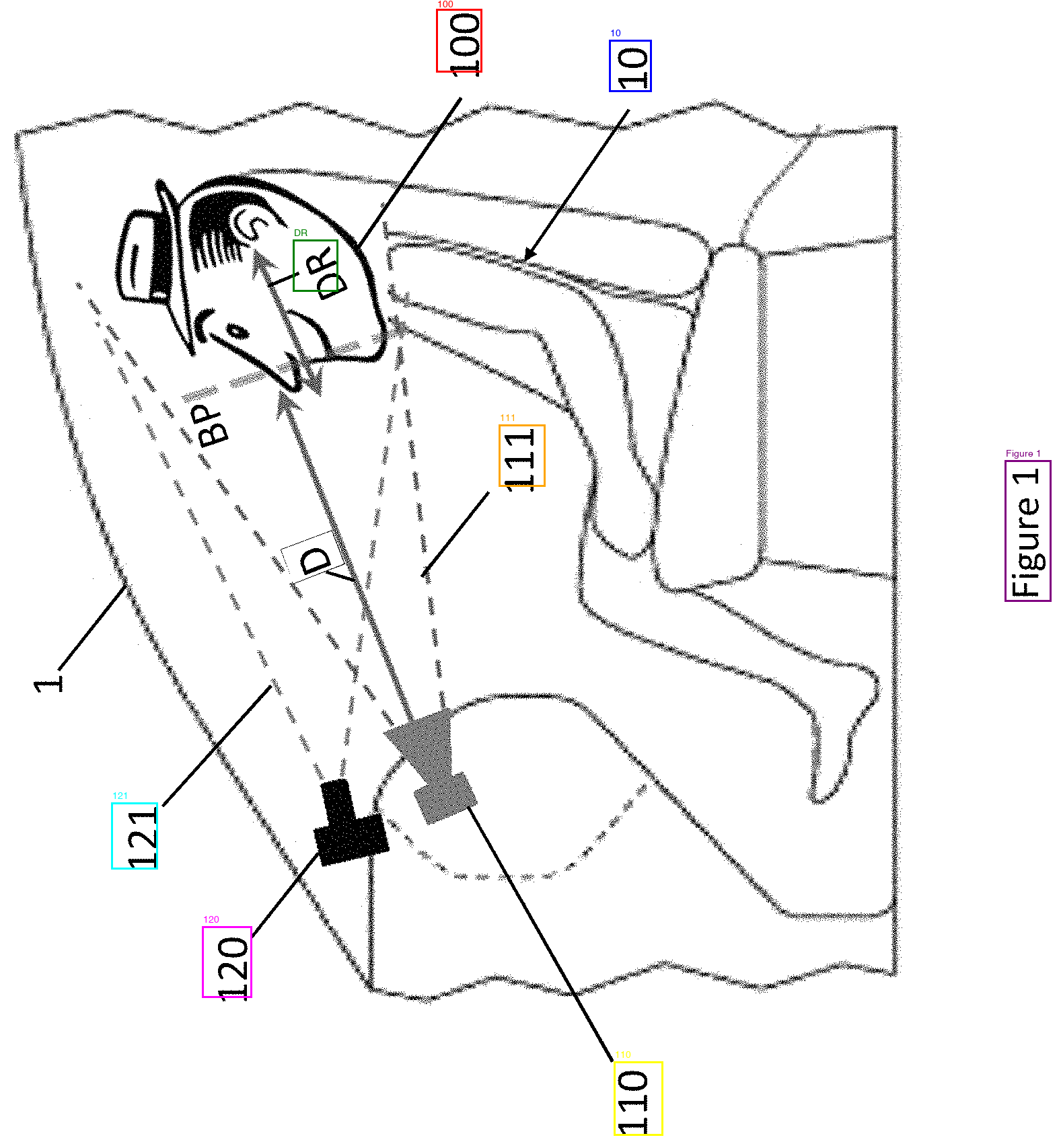
0 degrees. Sideways. Finds a few large labels (100, 10, 110, 120, 121) but misses BP, DR, D, 1, and most of the small text.
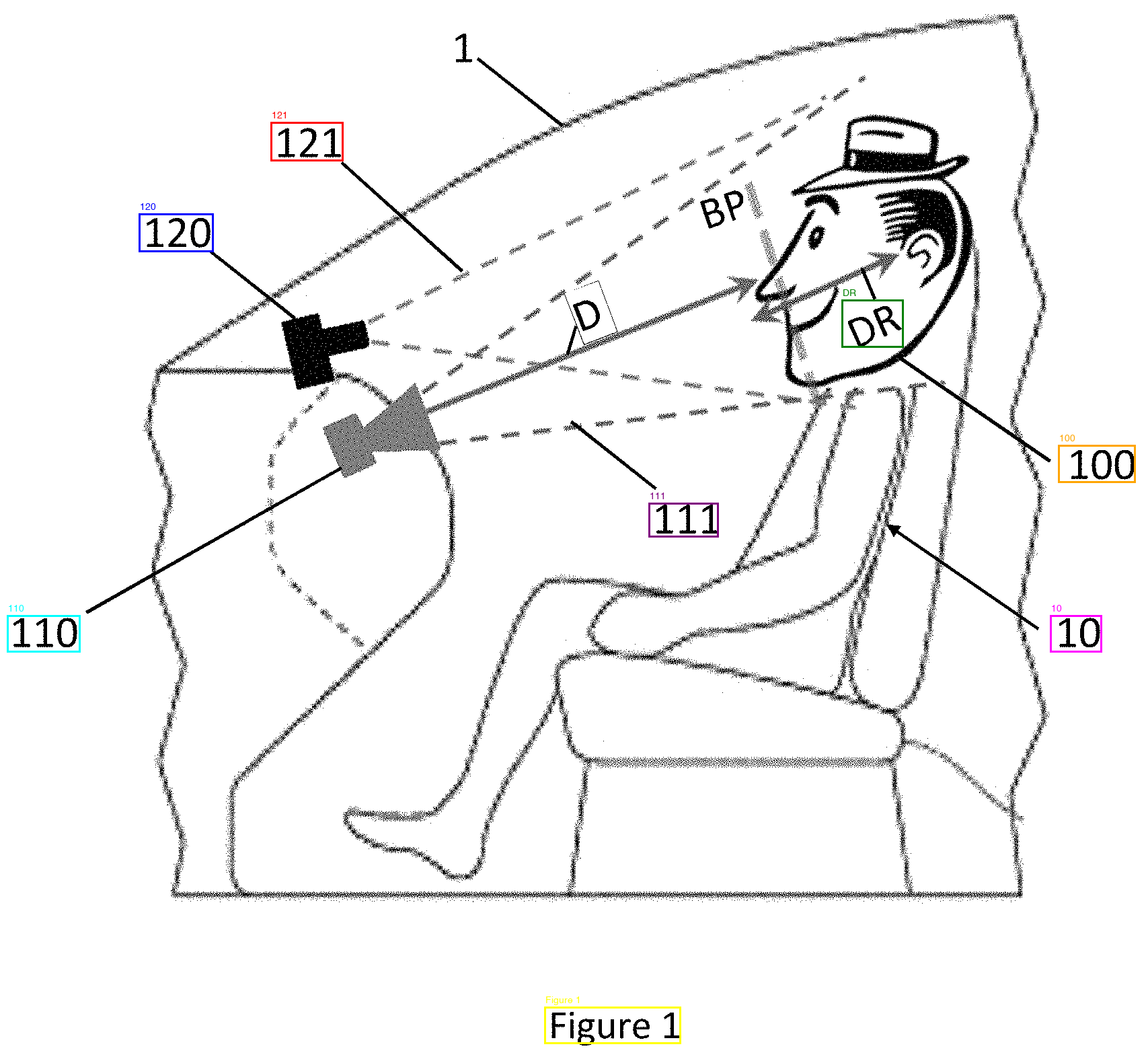
270 degrees. Upright. All labels detected—BP, DR, D, 1, 10, 100, 110, 111, 120, 121. "Figure 1" read correctly too.
The problem was figuring out which rotation to use automatically. Not every sheet needs rotating, and rotating an already-upright sheet makes things worse.
Tests 5–6: Automatic rotation detection
Cheap probes (running OCR with only 128 output tokens at each angle): 5/8 correct. The probes were too short to distinguish close cases, and not meaningfully faster than running all three angles fully.
OpenCV text line detection (morphological operations to find horizontal vs. vertical text lines): 4/8 correct. Patent figures have box borders, arrows, and structural lines that register as text lines. The algorithm couldn't tell a box outline from a line of text.
Test 7: Brute force scoring
Instead of predicting the right angle, I ran all three and scored each result by counting meaningful detections, unique labels, and penalizing spam. Best score wins. 6/8 correct. The two failures were ties—two angles produced the same number of detections with the same label lengths. The scoring couldn't tell "Decermine" from "Determine" because it wasn't checking whether the words were real English.
Test 8: GLM-OCR
GLM-OCR is a newer, smaller model (0.9B parameters) that benchmarks higher than DeepSeek on standard OCR tasks. I tested both its "Text Recognition" and "Figure Recognition" prompts at all three angles.
The "Figure Recognition" prompt was useless—it returned only "Figure X" on every sheet at every angle. The "Text Recognition" prompt was more interesting. On text-heavy sheets (the flowcharts, the dense instrument screen), it was rotation-proof—identical perfect output at 0, 90, and 270 degrees. DeepSeek can't do that.
On diagram sheets with scattered reference numbers, results were inconsistent. Some sheets returned only "Figure X" at every angle (sheets 01, 05, 07—all the reference numerals ignored). Others partially worked but only at specific rotations—sheet 06 returned just "Figure 6" at 0 and 90 degrees, but at 270 it found 62, 61, 601, 602, 603, and 6. Sheet 04 found BP, 41, 42, 43 at 90/270 but not at 0.
GLM-OCR seems to treat isolated small numbers near drawings as non-text. When the numbers are large and clearly part of the layout it picks them up, but the tiny scattered reference numerals that patents rely on get skipped. Different failure mode from DeepSeek—DeepSeek at least attempts them (and sometimes gets them wrong), GLM doesn't try.
Tests 9–11: Known-label matching
Patent reference numerals aren't unknown—the patent specification text defines them explicitly ("camera (110)", "distance measuring sub-system (120)", etc.). We already extract these in our app, so we have a list of every reference number that should appear in the figures.
Test 9 used the "Figure" label as a filter. If DeepSeek reads "Fisure4" or "File 7" at a given angle, that angle is wrong. This reliably eliminated bad angles but couldn't break ties between two angles that both read "Figure" correctly.
Tests 10–11 added known-label matching—after filtering by "Figure", count how many OCR detections match known reference numerals from the patent spec. The angle with the most matches wins. This fixed the "61" vs "19" problem ("61" is a known reference numeral, "19" isn't). 7/8 correct. The single miss was a three-way tie where the same four numerals appeared at every angle.
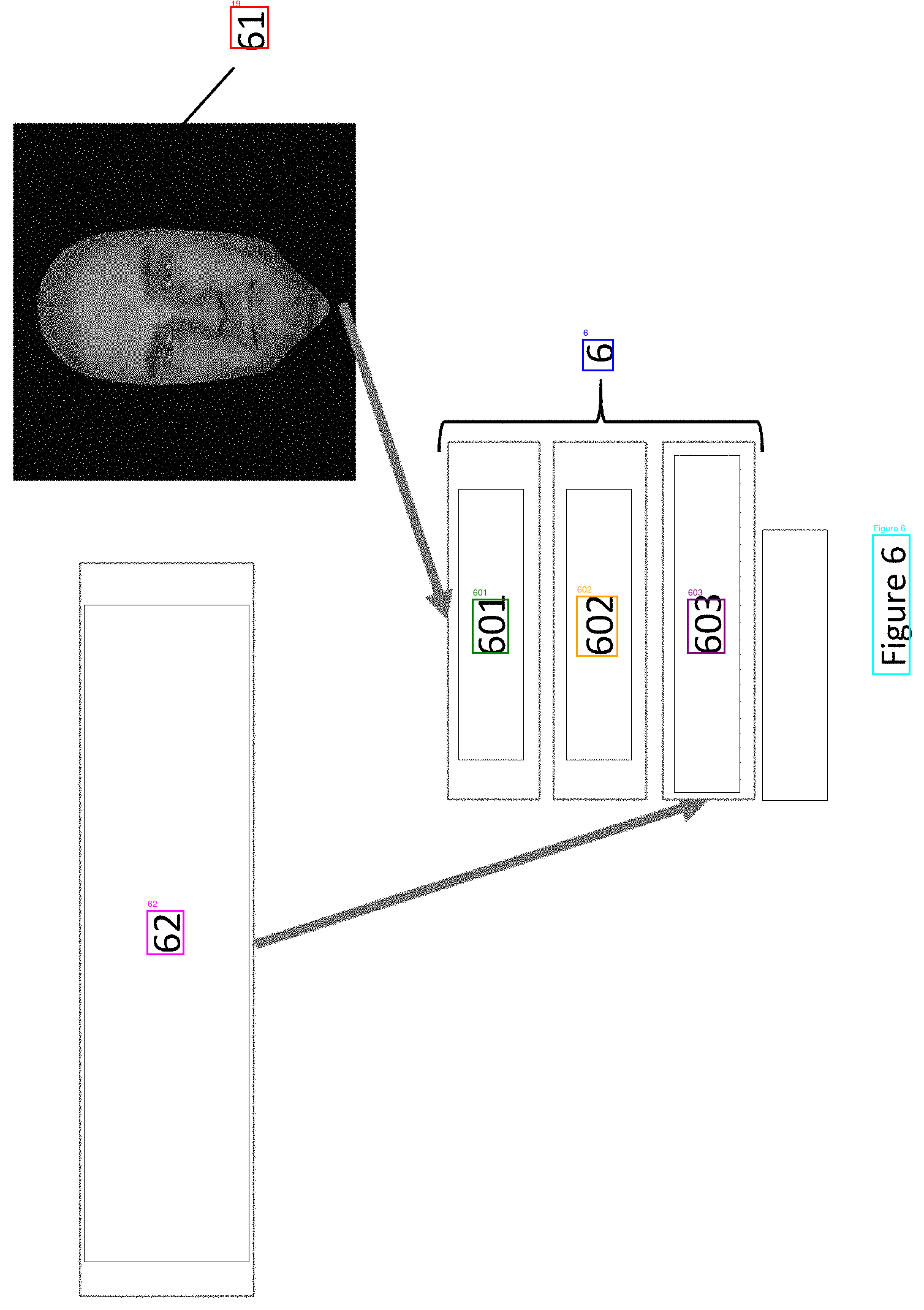
Sheet 06, test 1. Sideways. Reads "61" as "19".
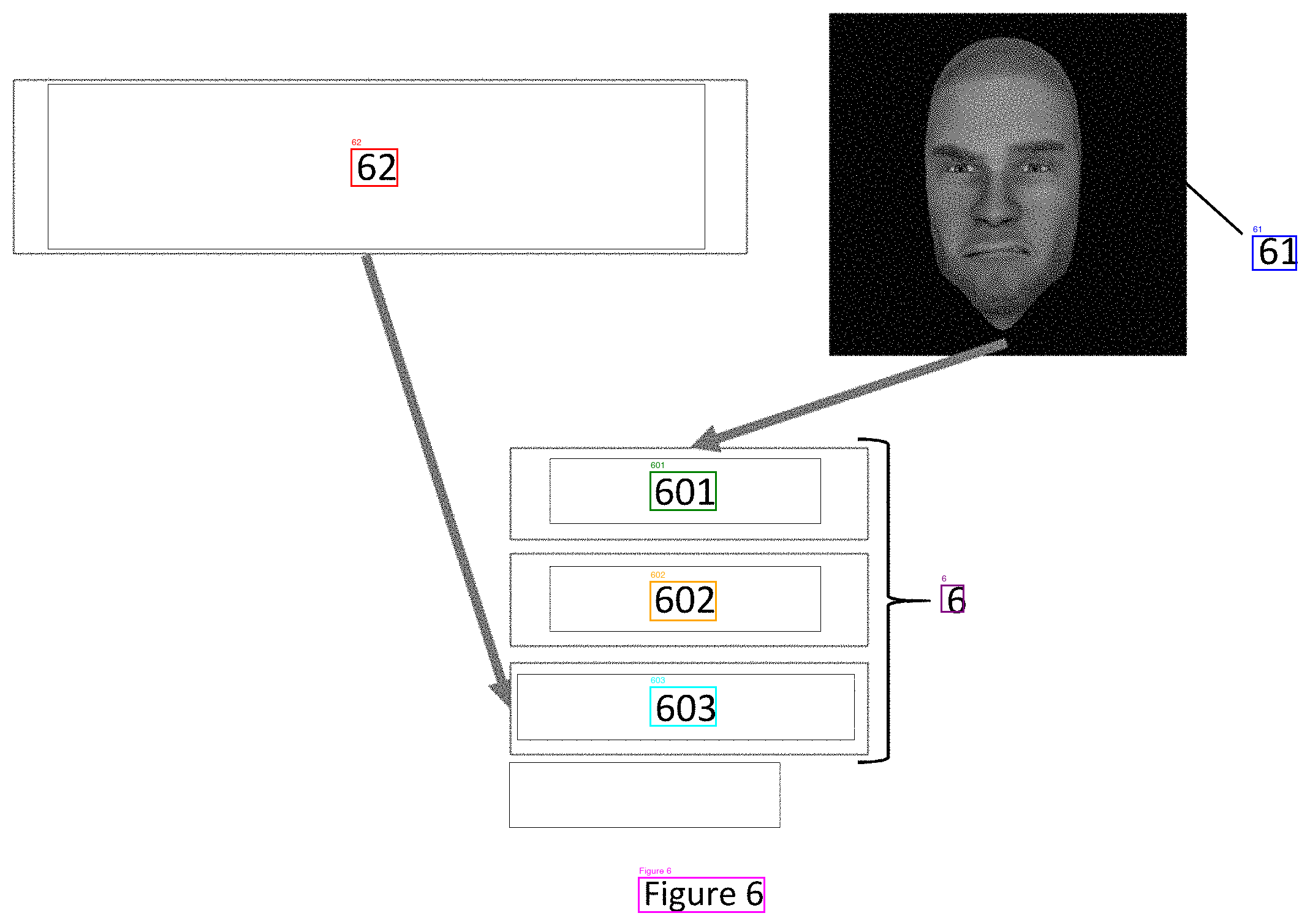
Sheet 06, test 11. Correct rotation selected via known-label matching. "61" detected correctly.
Test 12: Google Cloud Vision API
I tried Google's Vision API as a sanity check. It got every sheet right on the first try with no rotation and no preprocessing. It found labels that DeepSeek missed at every angle—the tiny "1" and "BP" on the cluttered diagram, the "7" in the corner of the neural network sheet. Zero typos. Word-level bounding boxes in pixel coordinates. 0.3 seconds per image vs. 9+ seconds for three rotation passes locally.
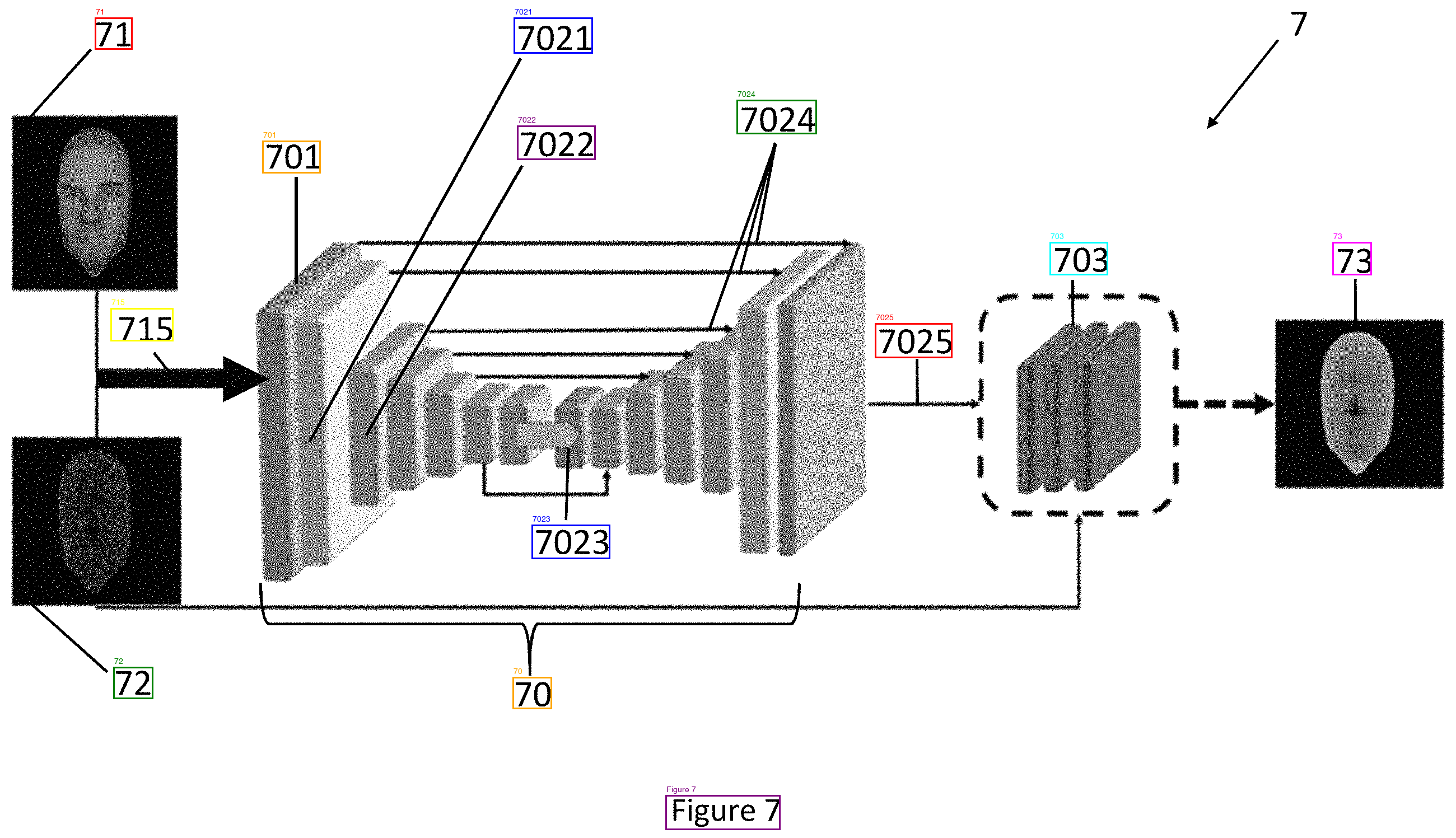
Sheet 07, DeepSeek (test 11). 13 labels. Missed "7" in the top right.
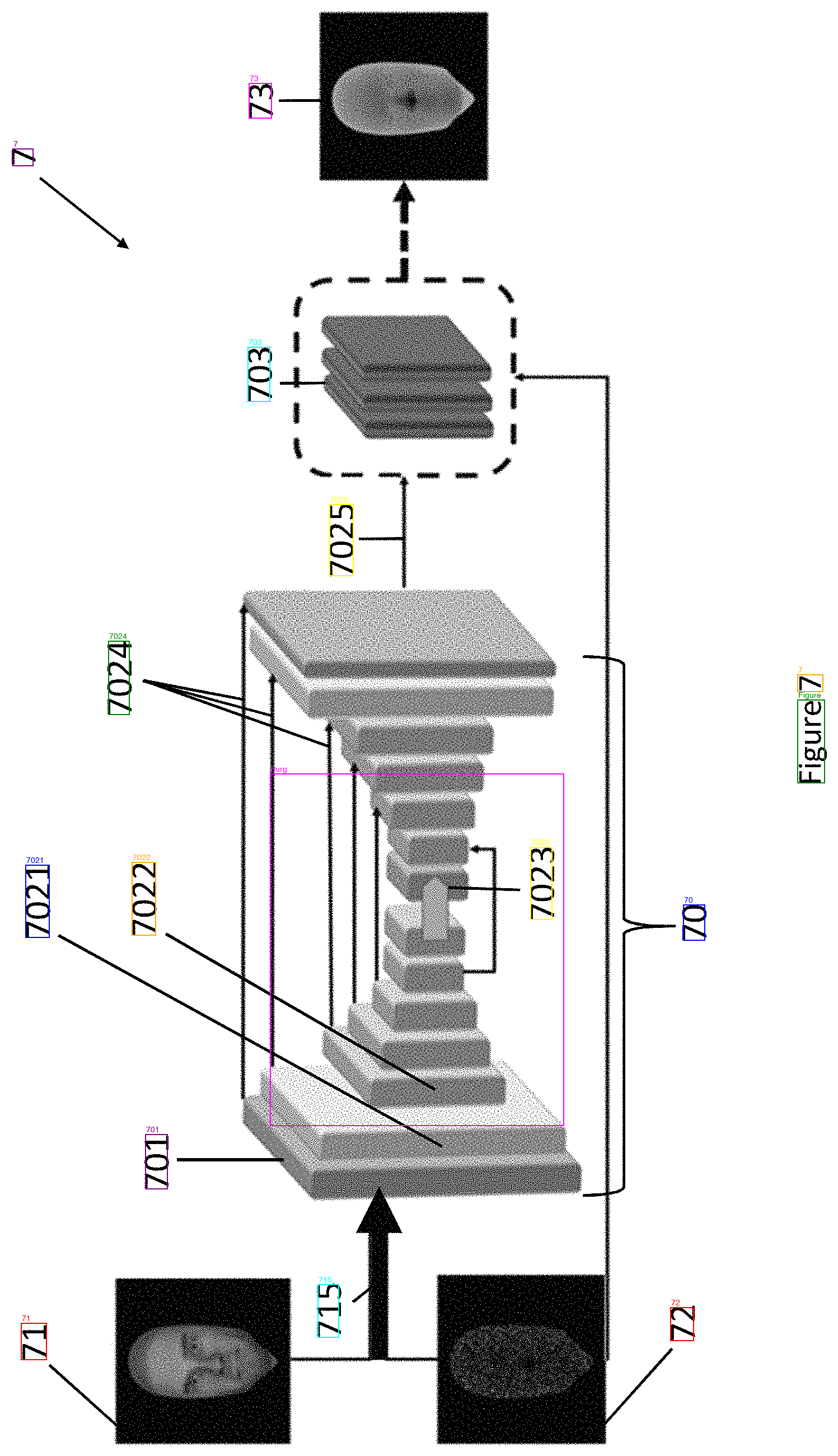
Sheet 07, Google Vision (test 12). All 14 labels including "7".
| Sheet | Google Vision | DeepSeek (test 11) |
|---|---|---|
| Flowchart | Perfect | Perfect |
| Person in vehicle (rotated) | Found BP, DR, "1" — 12 detections | Missed 1, D, BP — 8 detections |
| Rotated flowchart | Perfect, no rotation needed | Typos without correct rotation |
| Dense instrument screen | 63 words, caught everything | 33 detections at best angle |
| Face profiles | All labels, no rotation needed | All labels, needed 270 rotation |
| Face/depth images | All labels correct | All labels correct |
| Depth map diagram | "61" correct immediately | Read "61" as "19" without rotation |
| Neural network architecture | All 14 labels including "7" | 13 labels, missed "7" |
Google Vision API pricing: first 1,000 images/month free, $0.0015 per image after that. A typical patent has 5–15 figure sheets, so the free tier covers 65–200 patents per month. At scale, 10,000 patents would cost $75–225.
Conclusions
If cloud is acceptable, Google Vision API is the obvious choice—one API call per image, no rotation logic, no scoring heuristics, no local GPU.
If it has to stay local, DeepSeek-OCR with the test 11 pipeline works: run at three angles, filter by "Figure" quality, pick the angle that matches the most known reference numerals. 7/8 sheets correct, and the one miss is cosmetic (correct numerals, garbled text labels).
Image preprocessing (binarization, contrast), Tesseract for rotation detection, OpenCV text line analysis, and cheap probe strategies didn't help on patent figures.
March 2025