Pro Tools for Google Patents
Pro Tools for Google Patents is a Chrome extension that adds a side panel to patents.google.com. You can highlight several search terms on a patent in different colours and step through each term’s matches, and you can ask an AI model questions about the patent you are reading. It also adds a list of Global Dossier documents from the EP Register to the patent page.
Free to install. The AI chat allows 3 messages a day without a subscription.
Highlight keywords on a patent
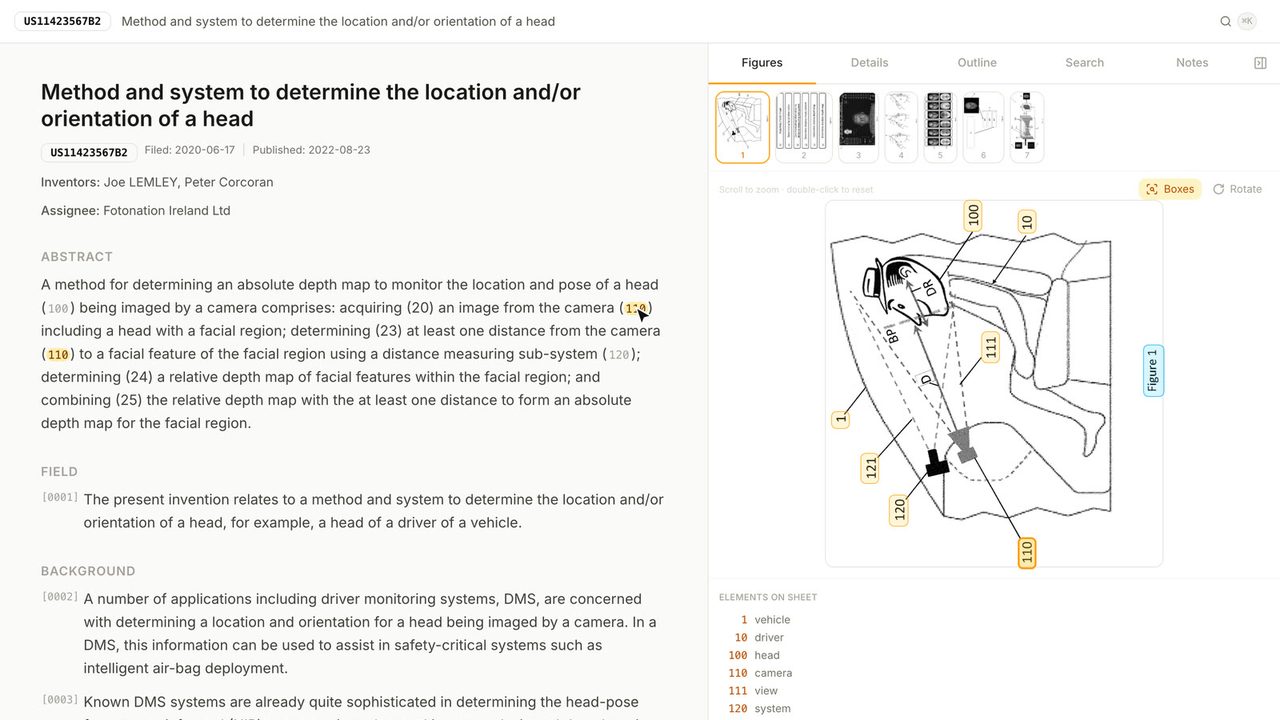
Clicking the extension’s toolbar icon, or the round chat button it adds to the bottom right of each Google Patents page, opens the side panel. The top of the panel shows the publication number of the patent in the current tab.
In the Keyword Highlighting section you type a term and press Add. Every match on the page is highlighted in that term’s colour, and the section lists each term with its number of matches and the total. Matching ignores case and only matches whole words. Each term has arrows that scroll the page to the previous or next match, a checkbox that hides its highlights without removing it, a colour you can change, and a button to remove it. Clear All removes every term. On US11423567B2, “depth map” has 67 matches and “camera” has 76.
Highlighting runs inside the page. The terms are not sent anywhere, and this part of the extension works without a subscription.
Ask questions about the patent
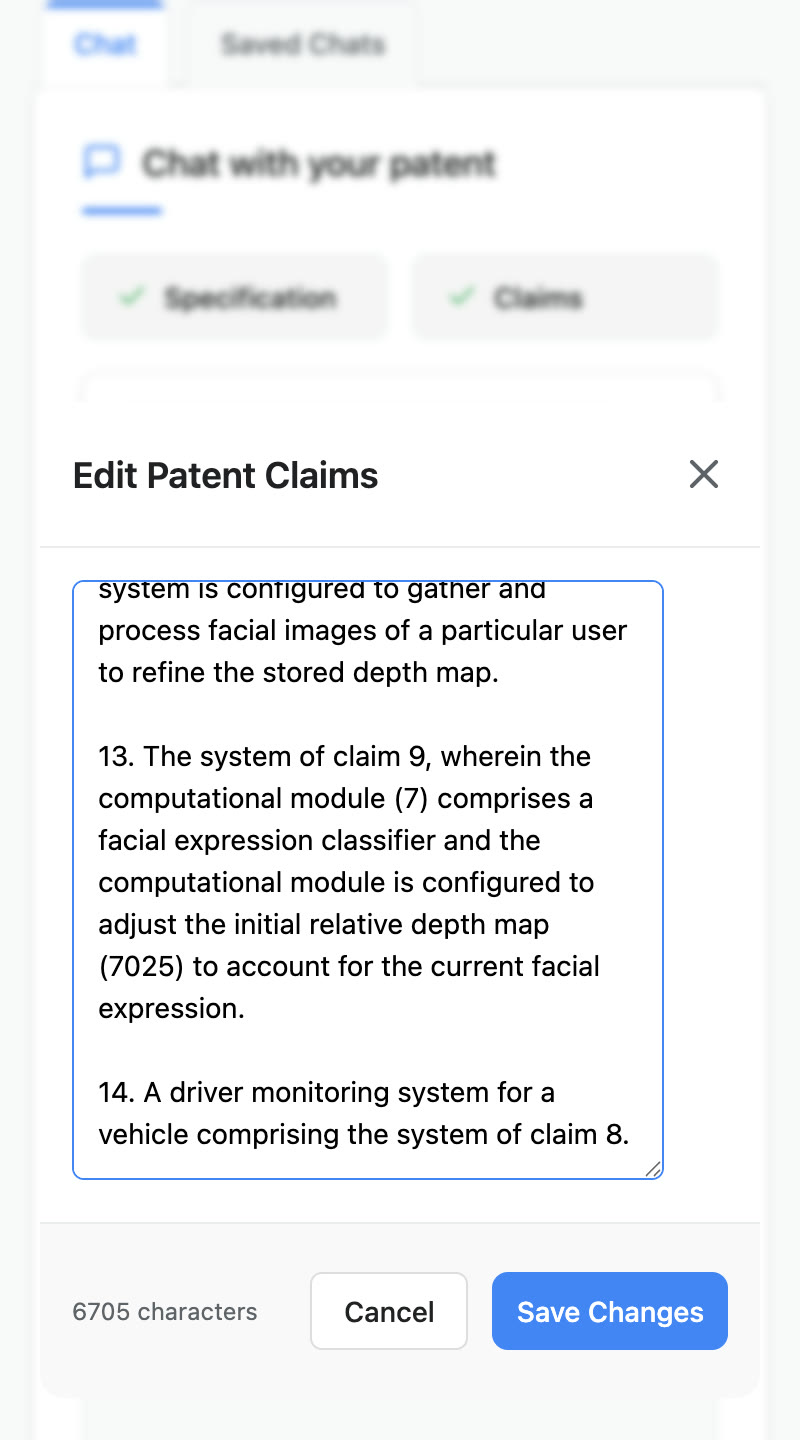
When the panel opens, it copies the description and the claims from the Google Patents page. The Specification and Claims buttons show a tick once each is loaded, and clicking one opens the text in an editor, so you can trim it or paste in different text before you ask anything.
You then type a question in the chat box. Each message sends the specification, the claims, the conversation so far and your question to the model, with instructions to cite sections and figures and to point out limitations, dependencies and possible clarity or support issues. The answer is the model’s reading of the text and needs checking against the patent. If you move to a different patent while a chat is open, the panel warns you that the chat is about the earlier patent.
Conversations are saved automatically after each answer. The Saved Chats tab lists them grouped by patent, and you can open one to read it or carry on.
Global Dossier documents on the patent page
On a patent page, the extension reads the application number from the page’s timeline and adds a Global Dossier Documents section above the patent citations. The section lists the documents in the family’s file from the EP Register’s family feed, newest first, with the document type, the date and a link to each document. For US applications the extension converts the number into the form the EP Register uses, working out the filing year from the series code. Because the list comes from the EP Register, it is only as complete and available as that service.
Free and paid use
The extension is free to install. Without a subscription, the chat allows 3 messages a day. A subscription costs $19.99 a month, is handled by ExtensionPay, and raises the limit to 100 messages a day. Keyword highlighting and the Global Dossier section have no limit.
Permissions and where data goes
The extension asks for the storage, side panel, active tab and scripting permissions. It can read pages on patents.google.com and contact three other sites: extensionpay.com for the subscription, the extension’s own server for the chat, and register.epo.org for the dossier list. The manifest also loads the ExtensionPay script, which handles the subscription, on every site.
Chat messages, including the specification and claims text, go to the extension’s server on Cloudflare Workers, which sends them to Google’s Gemini 2.0 Flash model with the developer’s API key, so you do not need a key of your own. The server stores saved conversations for one year. They are filed under your ExtensionPay email address if you subscribe, and otherwise under an ID made from the time the extension was installed. The server also keeps a daily message count for each user. There is no account to create.
More patent tools
All patent tools →